
01
AvailableUser Story Analysis
Review requirements before test design begins.
- Ambiguities, gaps, contradictions, and risks
- Open decisions and readiness signals
- Evidence-aware test requirements and traceability
Cargando QA Copilot...
AI-assisted quality engineering
Find ambiguity, missing decisions, risks, and coverage gaps—then create structured, reviewable QA artifacts without losing traceability.
Built for QA engineers, SDETs, test leads, and software teams. Human review stays in control.
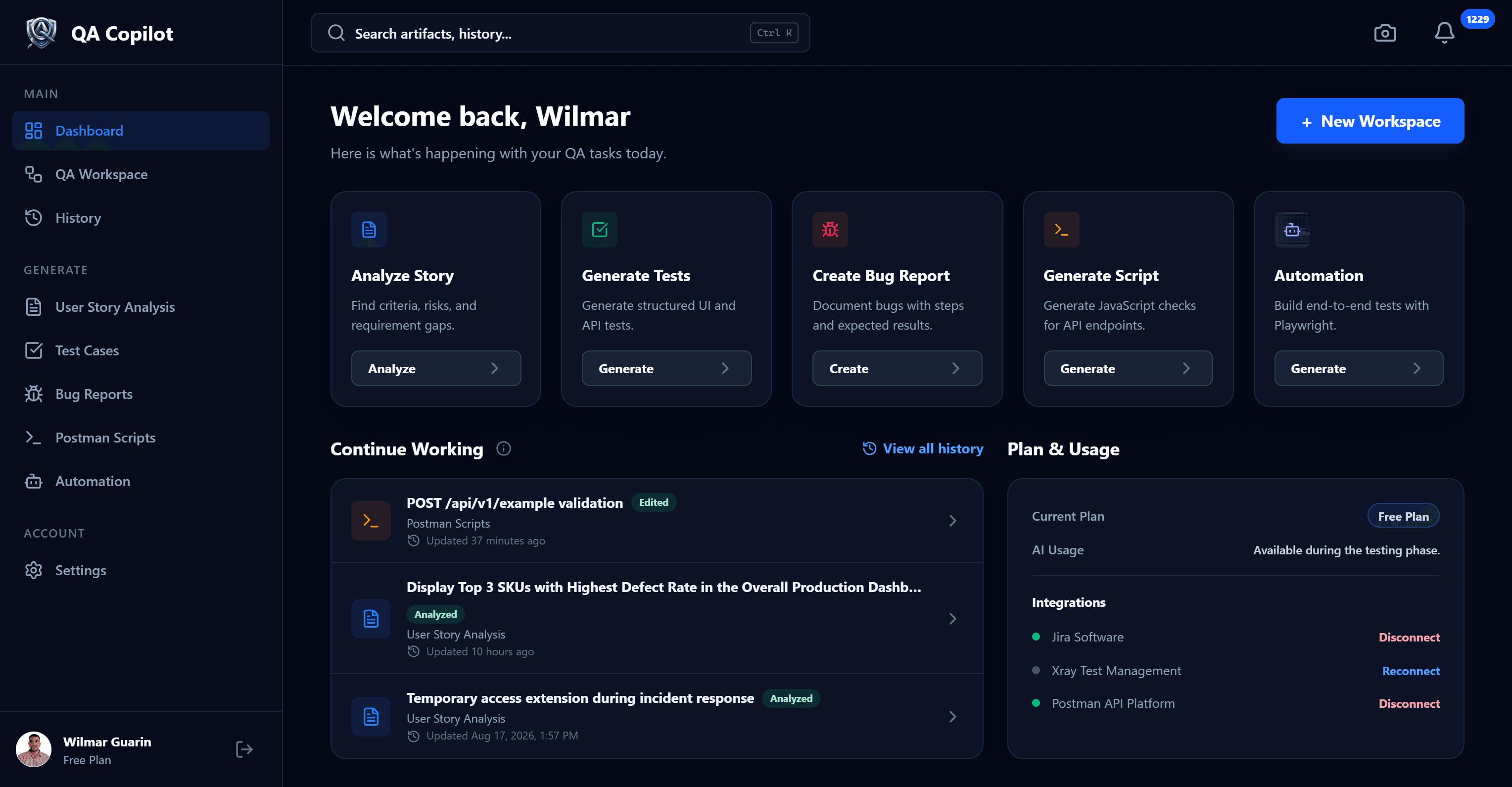
Real product evidence
Navigate the current product and its roadmap from one extensible preview. Real captures are used whenever a workflow is available—not generic AI mockups.
Choose a capability to update the product preview
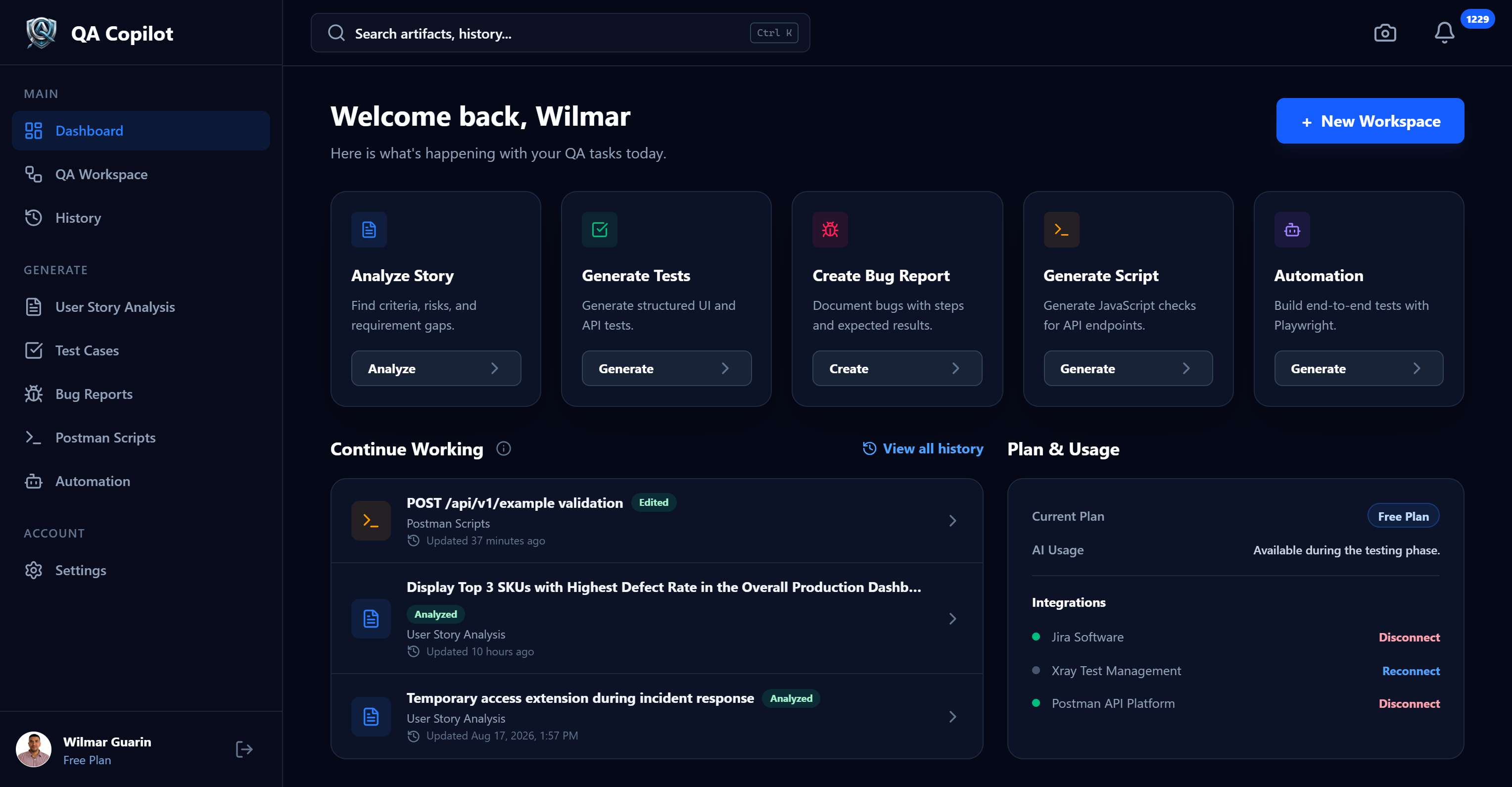
Core capabilities
Every capability is represented according to its current implementation state.
Review requirements before test design begins.
Create and refine structured cases for UI, API, E2E, and mobile.
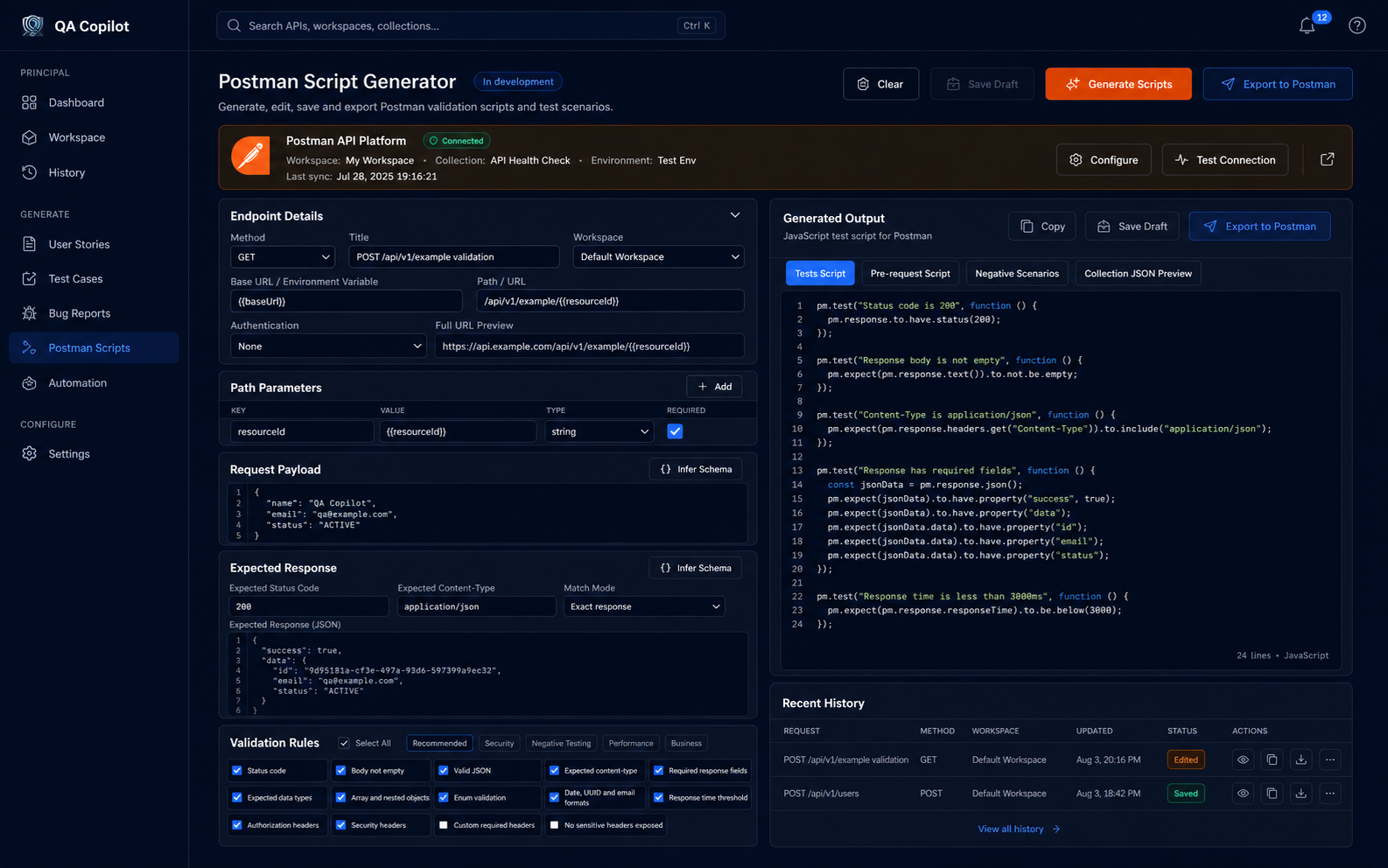
Explore the planned workflow for configuring API validation intent while generation and export continue to be refined.
Keep QA outputs searchable and reusable in one place.
Create workspace-owned reports from verified defect evidence.
Organize QA artifacts by initiative with real context, activity and lifecycle controls.
A future workflow for turning reviewed test intent into maintainable browser automation.
User Story Analysis
QA Copilot does more than summarize a story. It separates evidence from inference, identifies unresolved product decisions, and projects actionable QA work for professional review.
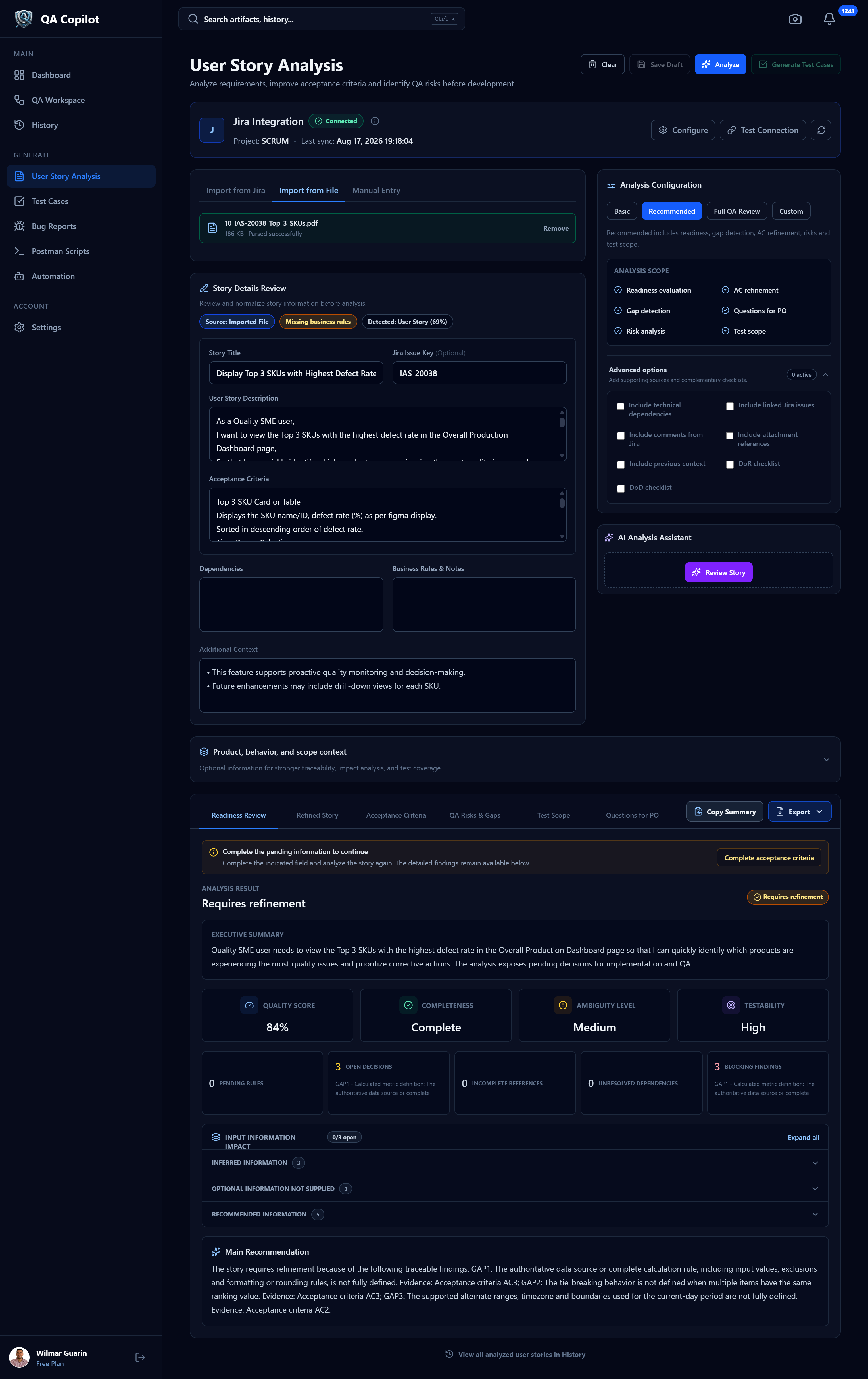
From analysis to execution
Use the reviewed requirement as input, choose the coverage you need, then inspect and edit the generated artifact. The Postman workspace shown here remains in active development.
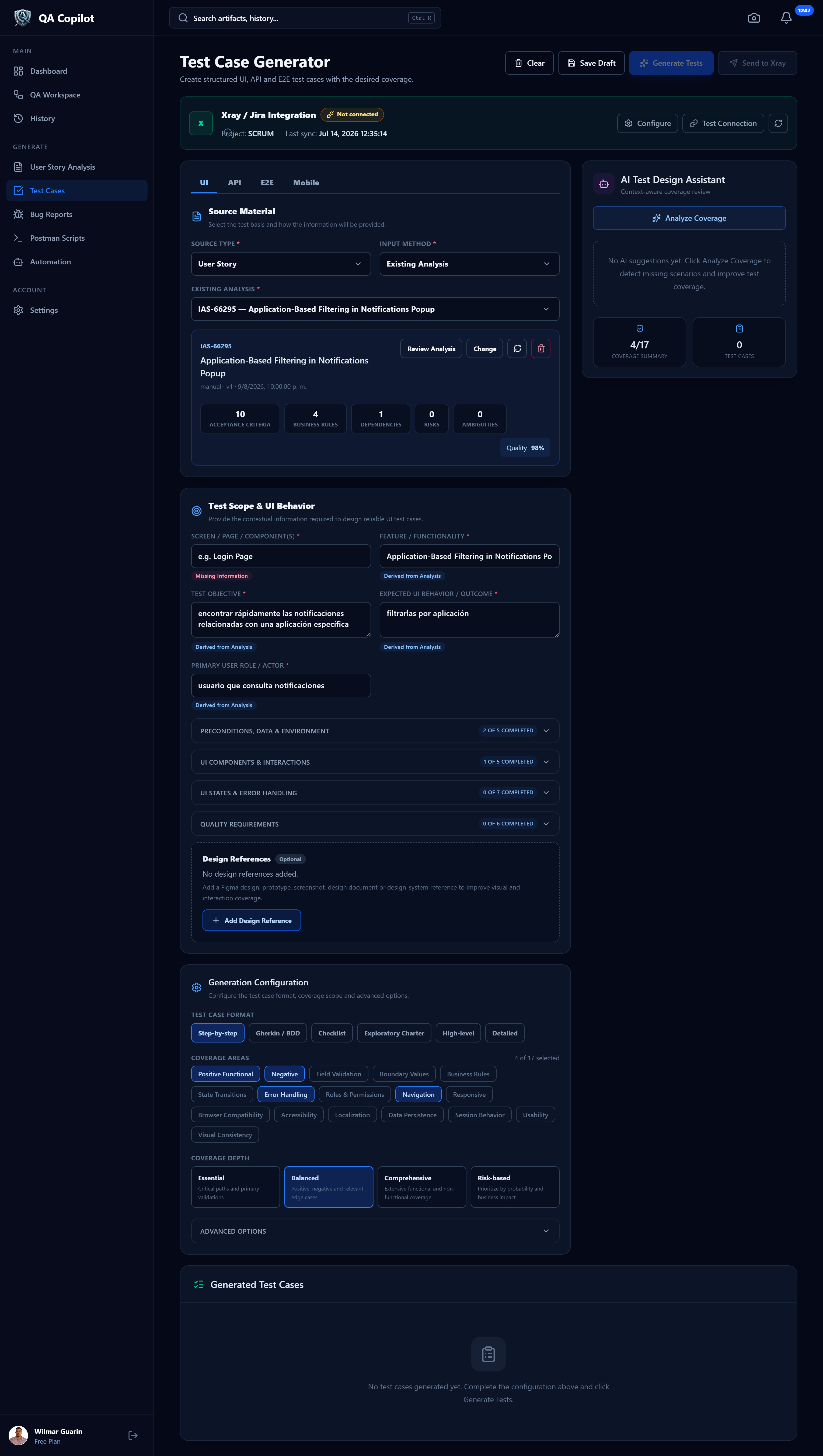
Requirement → finding → test requirement → test case
How it works
Paste a requirement, upload a supported document, select a saved analysis, or import a Jira story when configured.
Choose language, analysis mode, platform, coverage, and the artifact details that matter for your context.
Inspect evidence, decisions, risks, readiness, scenarios, and traceability. Edit with professional judgment.
Continue into test cases, keep artifacts in History, download supported formats, or use a configured integration.
History & traceability
Review real artifact status, workspace context, timestamps, exports, and refinement signals from one operational history.

Integrations
Integrations require user configuration and validated credentials. Availability never implies an automatic connection.
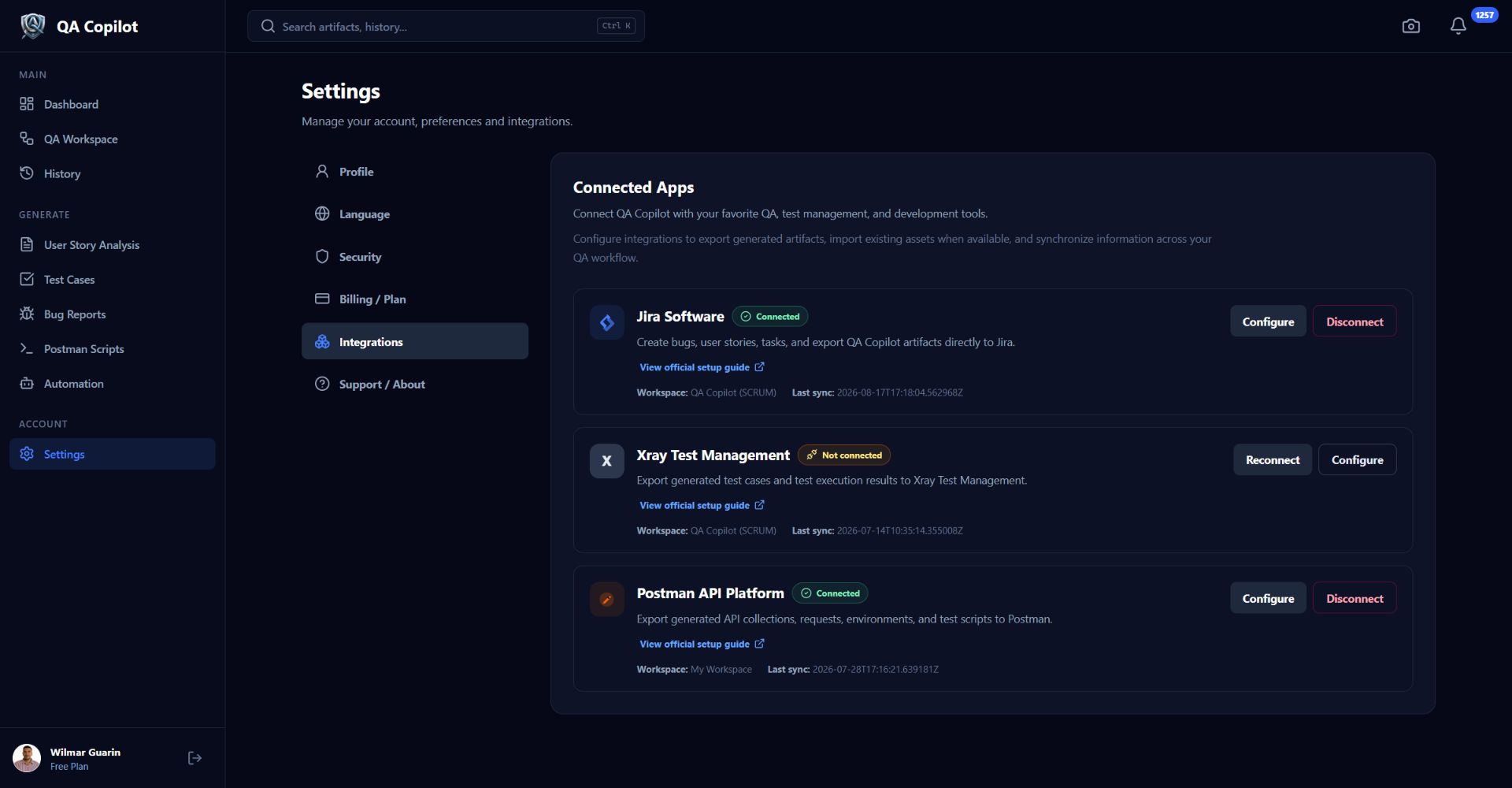
Connect Jira, import story evidence, and use configured project context.
Validate Xray credentials, browse Test Repository folders, and send generated manual tests.
The workspace connection is operational; script generation and export behavior are still being refined.
Security & control
QA Copilot protects authenticated workflows without making unsupported certification claims.
Plans
Paid pricing and billing are not publicly finalized, so this page does not invent prices or enterprise packaging.
Create an account and use the currently available QA workflows. Usage is presented in-product as available during the testing phase.
Create an accountBilling and final paid-plan terms will be published only when the complete purchase flow and pricing are ready.
FAQ
QA Copilot is an AI-assisted quality engineering platform for analyzing software requirements and creating structured, traceable QA artifacts.
It is designed for QA engineers, testers, SDETs, automation engineers, QA leads, and software teams that need clearer requirements and more consistent test design.
Yes. The current workflow detects gaps, ambiguities, contradictions, risks, open decisions, readiness issues, and test requirements with traceability to source evidence.
Yes. It generates editable UI, API, E2E, and mobile test cases and supports CSV, XLSX, DOCX, PDF, and Markdown exports.
An initial generator and integration workspace exists, but generation and export are still being refined and are not presented as a completed workflow.
Jira and Xray Cloud have implemented configuration flows. The Postman workspace is in development. Each integration requires valid user credentials and may require project or workspace setup.
Account access is available during the current testing phase. Final paid pricing and billing terms are not yet published.
No. AI accelerates analysis and artifact drafting; a QA professional remains responsible for reviewing context, resolving decisions, and approving the result.
QA Copilot
Start with a user story. Leave with structured findings, traceable coverage, and artifacts your team can review.